
Punjab Learner Licence Documents Checker
Last updated: October 2026
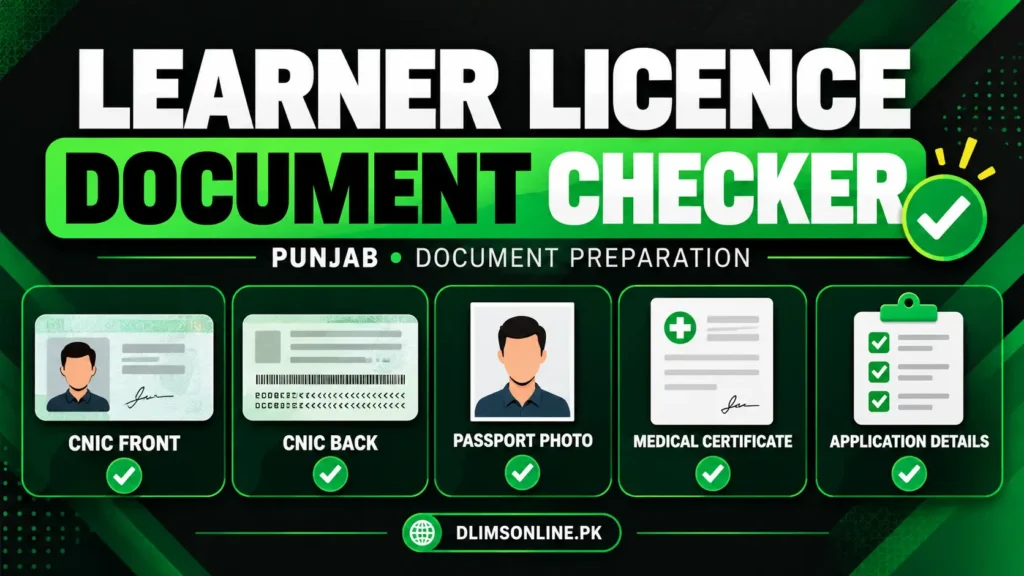
Preparing your documents before applying for a learner driving licence can help you avoid common upload mistakes. Use this free checklist to review your CNIC images, photograph, medical certificate requirements and application details before submitting your form.
This is an independent document preparation tool from DLIMS Online. It does not access your application, inspect uploaded files or guarantee approval. Always follow the latest instructions shown on the official Dastak portal.
Learner Licence Document Checker
Use the checklist below to see which preparation steps you have completed. Your progress is saved only while this page remains open. Nothing is uploaded by this checker.
Document Readiness Checker
Check your documents before applying online.
Tick each item as you prepare it.
Independent checklist. This tool does not verify documents or guarantee approval.
Documents Required for a Punjab Learner Licence
For an online learner licence application, the official DLIMS website lists a face photograph, images of the front and back of the original CNIC, and a medical certificate signed by a government doctor when the applicant is above 50 years old. The current Dastak application may show additional requirements depending on the selected service and vehicle category.
Prepare the following items before you begin:
- CNIC front: Make sure the card is fully visible and the printed details are readable.
- CNIC back: Capture the complete reverse side without cropping any information.
- Face photograph: Follow the photo instructions shown in your Dastak application. The official service page specifies a live photograph with a white background.
- Medical certificate: Check whether your age or selected vehicle category requires one. Dastak lists a medical certificate for applicants above 50 years old or applying for LTV.
- Application details: Keep your personal information accurate and consistent with your identity documents.
Check the current document list on the official DLIMS website before submitting your application.
CNIC Upload Mistakes to Avoid
A readable CNIC image is important for application review. Before uploading, check these common problems:
Common problem | What to do |
CNIC edges are cut off | Retake the image with the complete card visible. |
Flash or glare hides text | Use even lighting and avoid direct flash. |
Image is blurry | Hold your phone steady and check the image at full size. |
Front and back are mixed up | Review each image before selecting the upload field. |
Details do not match the form | Enter your personal information exactly as required by the application. |
File is rejected | Follow the file type and size limits displayed on the upload screen. |
A phone camera can be enough if the image is clear. Place your CNIC on a flat surface, use good lighting and make sure every corner is visible.
Learner Licence Photo Requirements
Follow the photo instructions shown in the current application rather than relying on a generic passport-photo size.
Before uploading your photograph:
- Use a clear, recent image that meets the official instructions.
- Keep your face fully visible.
- Use the background specified by the application.
- Avoid filters, heavy edits and poor lighting.
- Review the image preview before continuing.
If Dastak requests a live photograph, follow that process instead of uploading a different image.
Learner Licence Medical Certificate
A medical certificate is not required in every situation under the current online guidance. The official DLIMS website lists it for applicants above 50 years old, while the Dastak learner service also lists it for LTV applications.
Check your age and selected category against the instructions in your application. If a medical certificate is requested, arrange it from the type of medical practitioner specified by the official service.
Do not skip a required certificate or upload an unrelated document in its place.
How to Apply for a Learner Licence Online
Follow the official application flow:
- Open the DLIMS website or the official Dastak portal.
- Sign in or create an account as instructed.
- Select the learner driving licence service.
- Enter your personal details carefully.
- Upload the requested documents in the correct fields.
- Review your application before submitting it.
- Follow the payment instructions and use the PSID generated for your application, where applicable.
- Check your application status and follow the official instructions to access your learner licence.
The available service options and charges may differ. Confirm the details shown in your own application before paying.
What to Check Before Submitting
Before you press the submit button, make sure:
- Your CNIC images show the complete front and back.
- Your photograph follows the current upload instructions.
- Your personal details match your documents.
- You have provided a medical certificate if your application requires one.
- Every file is readable and meets the displayed upload limits.
- You have reviewed the application details for typing errors.
These checks can help you catch simple mistakes, but the licensing authority makes the final decision.
What If Your Learner Licence Application Is Rejected?
First, read the rejection message or instructions shown in your official account. Identify the exact problem before changing or uploading documents again.
If the issue concerns an unclear CNIC image, retake the image. If the issue concerns missing information, correct the relevant field. If a medical certificate or another document is requested, follow the instructions provided by the licensing authority.
If payment has been deducted but the application still shows pending, check the payment status and official application record before paying again. Keep your PSID and payment receipt for reference.
Frequently Asked Questions
Official Sources and Disclaimer
For current requirements, use the official DLIMS website and Dastak portal.
DLIMS Online is an independent informational website maintained by Musa Tariq. It is not affiliated with or endorsed by the Government of Punjab. Service requirements, document rules and fees may change. Confirm the latest instructions before submitting your application.